
WHAT IS AN INTERVENTION REQUEST?
An intervention is the core component of any maintenance management software. In Simple GMAO, an intervention sheet represents a complete record of any maintenance activity performed on your equipment. Whether it's preventive maintenance or corrective maintenance, every intervention is meticulously documented for optimal intervention management.
The CMMS : this definition and concept centers on creating a digital trail of all maintenance activities. Simple GMAO allows your maintenance technician to capture every detail, from the moment a maintenance request is initiated through completion and reporting. This comprehensive approach ensures operational excellence across your industrial maintenance operations.
WHY INTERVENTION REQUESTS MATTER
Effective intervention management is essential for any organization relying on equipment uptime. Quick response to maintenance needs prevents costly downtime and equipment failure. Simple GMAO's intervention request system is designed for speed and accuracy, enabling your maintenance teams to respond rapidly to both planned and emergency maintenance scenarios.
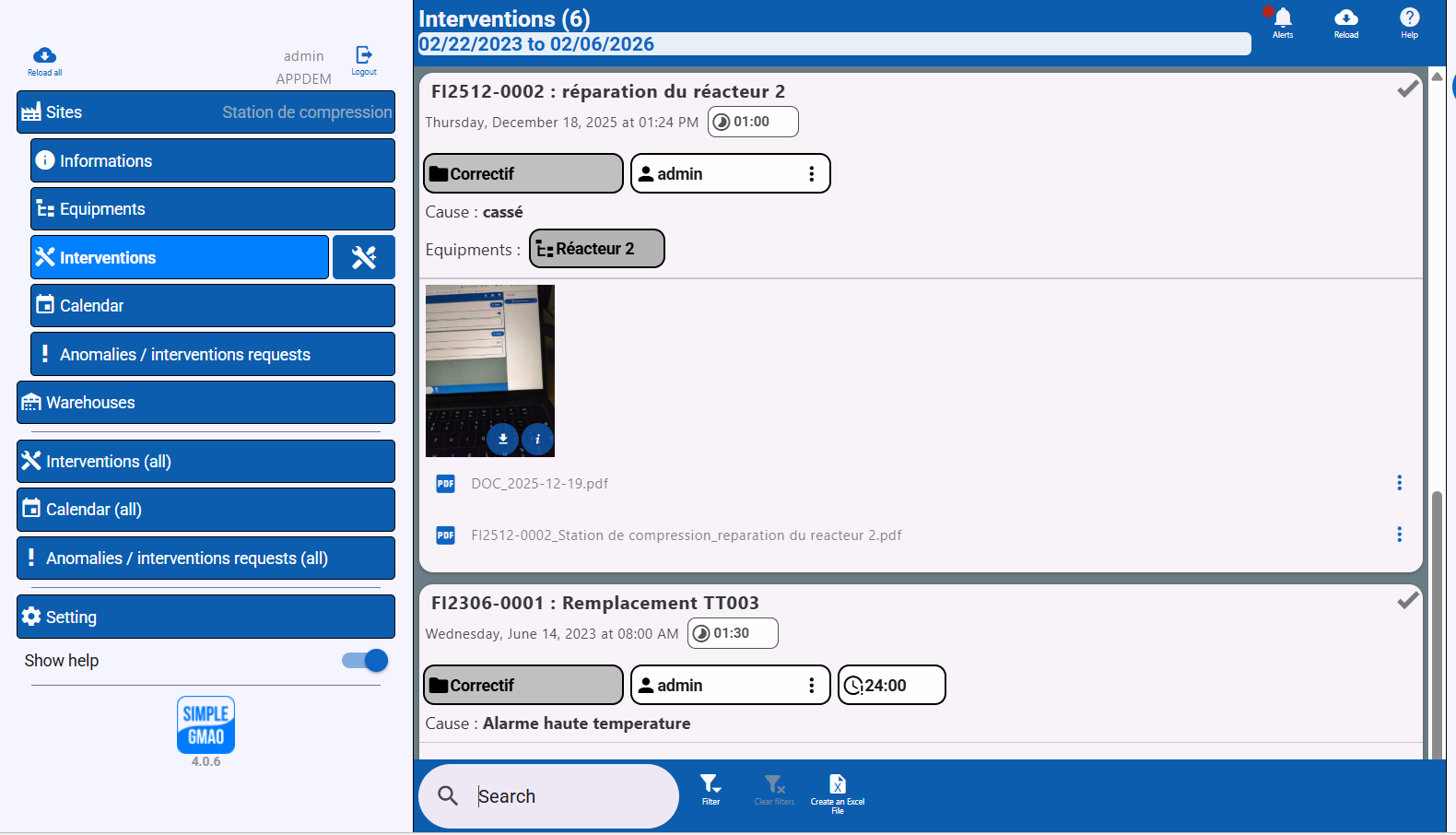
HOW TO STEP-BY-STEP CREATE AND MANAGE INTERVENTIONS
1. Start Fresh or Use a Model: Open a new intervention form or select from your saved interventions templates to begin.
2. Enter Basic Information: Record the customer name, equipment identifier, and site location. Simple GMAO's multi-sites functionality ensures you're tracking work across all your facilities.
3. Specify Maintenance Type: Specify the type of maintenance,this scetion is customizable basis the company's needs
4. Set Date and Time Record: when the intervention occurred or is scheduled.
5. Track Duration and Downtime: Document how long the work took and how long equipment was unavailable. These metrics are crucial for maintenance performance analysis.
6. Update Stock Status: Manage spare parts consumption directly from the intervention form.
7. Document Anomalies: Record any issues discovered during work. This feeds into your Anomaly Management system for trend analysis.
8. Upload Evidence: Take pictures from the site and attach them directly to the intervention record for visual documentation.
9. Generate Reports: Export your complete intervention report as PDF for client delivery, audits, or archival.
PRO TIP:
Your maintenance technician can complete all intervention documentation right from the field using any device. With Simple GMAO's mobile-friendly interface, there's no need to wait until returning to the office to record critical maintenance details.
GENERATING INTERVENTION REPORTS AND PDFs
One of the most valuable features of Simple GMAO's intervention management system is automatic report generation. After completing an intervention, your system can produce comprehensive PDF reports containing:
• Complete intervention report with all captured data
• Customer information and work authorization details
• Maintenance type classification (that is customizable basis a company's requirements for example, preventive, corrective, or an improvement project)
• Time tracking and downtime records
• Spare parts used and inventory adjustments
• Anomalies identified and actions taken
• Attached photos showing work performed
• Technician signatures and approvals
These professional reports can be immediately sent to clients, stored for compliance audits, or archived in your document management system.

READY TO TRANSFORM YOUR INTERVENTION MANAGEMENT?
Stop using spreadsheets and disconnected systems. Simple GMAO gives your team a unified platform for creating, tracking, and reporting on every intervention.